
stockist locator
a store locator with no google maps key.
Most WordPress store locators want a Google Maps API key. That means a Google Cloud account, a billing account with a card on it, and an eye on your usage. Stockist Locator uses OpenStreetMap instead, so it works the moment you switch it on.
how it works
postcode in, nearest shops out
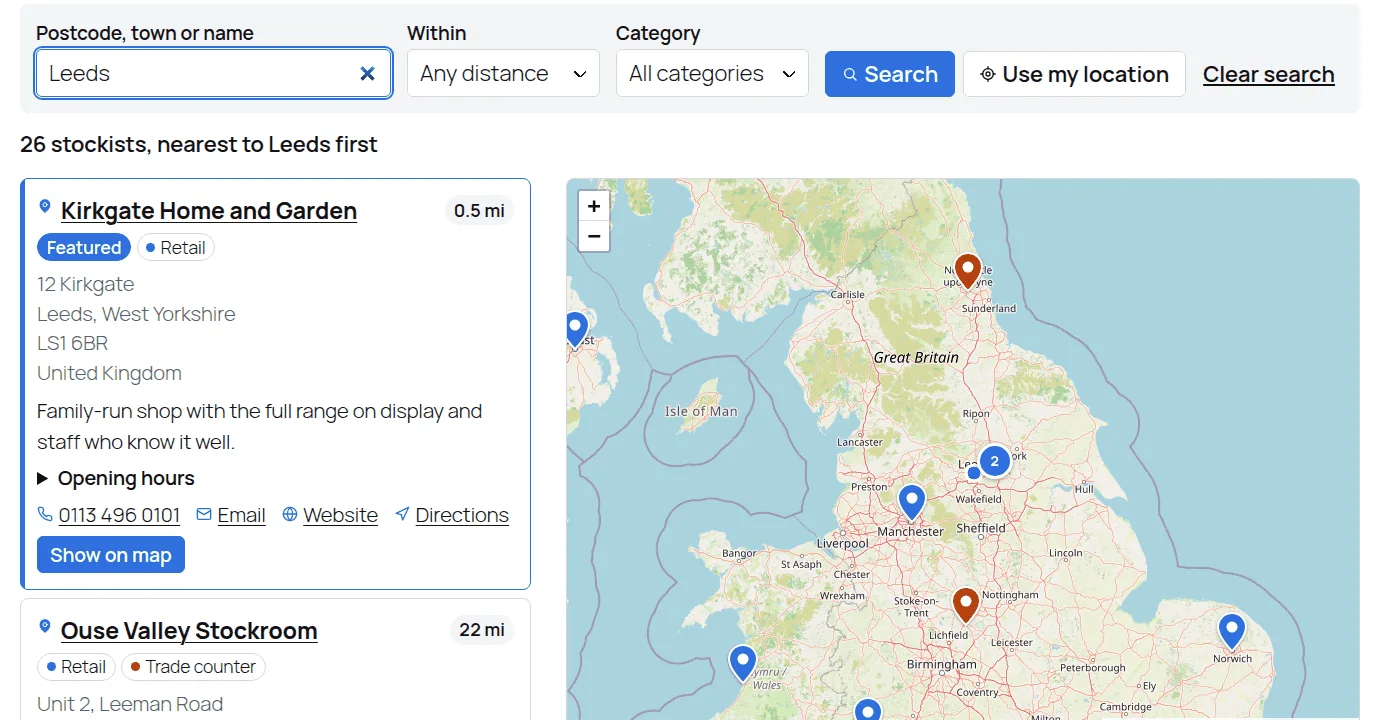
Shoppers type a postcode, town or place name, or tap “Use my location”. The nearest stockists come back sorted by distance, in a list and on a map. The maps and the address lookups both come from OpenStreetMap, so there’s no key to paste in.
the google route
what a google maps key involves
None of that is hard if you build websites for a living. For a shop owner who just wants a where-to-buy page, it’s a lot of fuss before a single map loads.
- A Google Cloud project and a Maps API key
- A billing account with a card on it, even if you stay inside the free allowance
- Restricting the key so nobody else runs up your bill
- Watching your usage as traffic grows
the fair bit
when google maps is worth it
Google’s maps and address search are excellent, especially for exact street addresses. If you already have a key and a billing account, it’s a fine choice.
OpenStreetMap is good for finding the nearest shops to a postcode, which is what a where-to-buy page needs. Want a map that matches your brand? Stockist Locator Pro adds Mapbox, which has its own account and allowance.
questions
the honest answers
Is OpenStreetMap free?
Yes, it’s free to use with credit shown on the map, which Stockist Locator adds for you.
Do I need a key for anything?
Not for the free version. Mapbox in Pro needs a free Mapbox account and token, if you choose to use it.
Can I import my stockists?
Yes, from a CSV spreadsheet, and re-importing updates the ones you already have instead of duplicating them.