
a guide for online shops
cut returns from wrong sizes.
Every “it didn’t fit” return costs you postage, packing time and often a sale. Most of them start with a shopper guessing. Here’s how to make guessing less likely.
five fixes
what actually helps
1. measure your own stock
Don’t copy the manufacturer’s chart if you can help it. Measure a few of each size yourself, flat, the same way every time. Your chart should describe what you actually send out.
2. tell people how to measure
Say exactly where the tape goes: chest at the fullest point, waist where the trousers sit, hand around the knuckles. A small diagram beats a paragraph.
3. answer the between-sizes question
This is where most guesses happen. Say which way to go for each product: size up for a relaxed fit, down if it stretches.
4. show both units
Plenty of UK shoppers think in inches, and plenty in centimetres. Make them convert and some will get it wrong.
5. read your returns
If one product keeps coming back too small, it probably runs small. Say so on the product page, or adjust the chart.
the shortcut
give them an answer, not a table
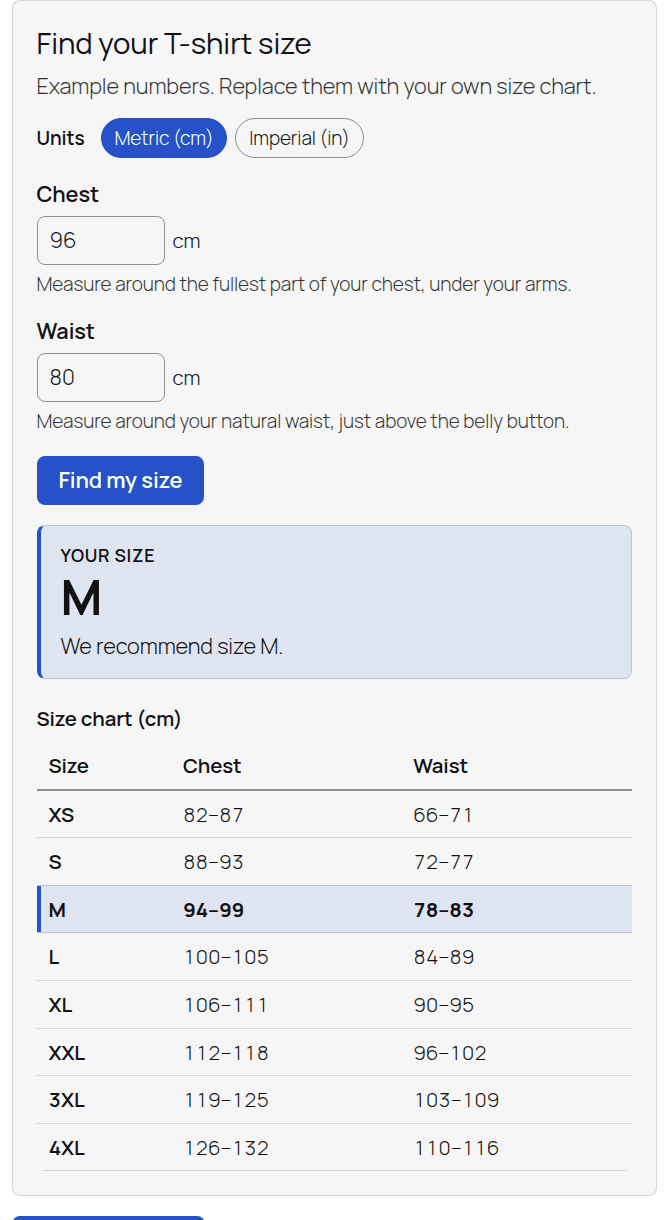
A size chart makes the shopper do the work. Size Finder asks for their measurements and tells them which size to buy. It handles between sizes the way you choose, switches between metric and imperial, and on WooCommerce it selects the size for them.
It’s free, with a Pro version for shops that want more.
questions
the honest answers
Does it work without WooCommerce?
Yes. Size Finder works on any WordPress site. On WooCommerce it can also pick the size on the product page.
What can it size?
Anything sold by measurement: clothing, workwear, gloves, helmets, boots and dog harnesses, for a start.